Thumbfa.st: AI YouTube Thumbnails in 60 Seconds
11/03/2026 • Melvynx
I was paying a thumbnail designer $400/month for my YouTube thumbnails.
Each one took 30-45 minutes of back-and-forth. "Move it to the right", "change the color", "no go back to the first version"...
Then one day I tried generating a thumbnail with AI.
The result? Better than anything I'd gotten in 2 years.
That's how I ended up building Thumbfa.st.
The Problem with YouTube Thumbnails
Your thumbnail is 80% of your video's success on YouTube. That's not a made-up stat — it's what MrBeast, Ali Abdaal, and every creator who's analyzed their data will tell you.
Yet most creators make ONE thumbnail per video. Maybe two. And they hope it works.
The real secret is iteration. Testing 10-15 different concepts, keeping the best, A/B testing continuously.
But when each thumbnail costs $30-100 or takes 45 minutes in Canva... nobody tests 15 concepts.
How Thumbfa.st Solves This
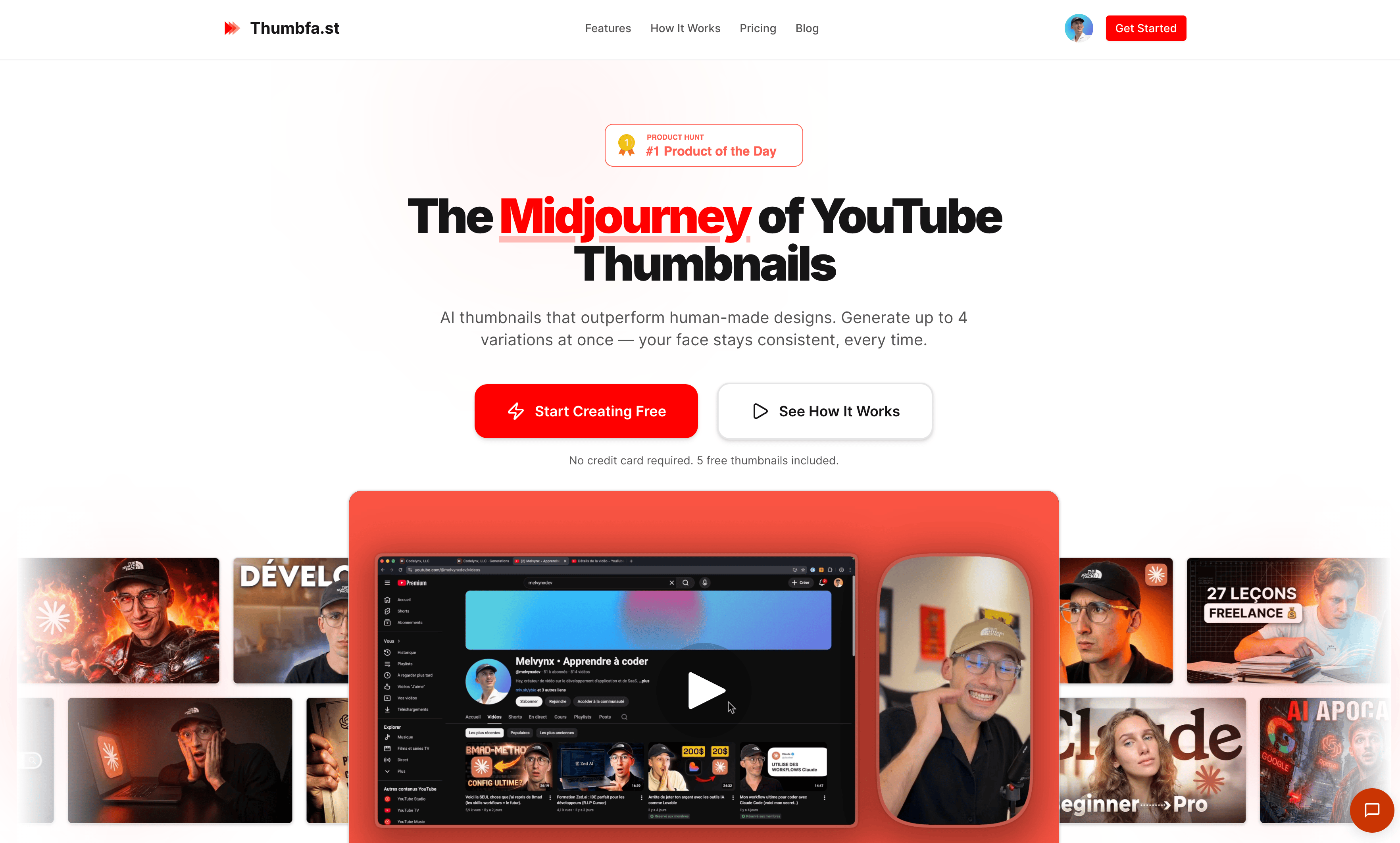
Thumbfa.st is an AI-powered YouTube thumbnail generator. The pitch: "The Midjourney of YouTube Thumbnails".
The workflow is dead simple:
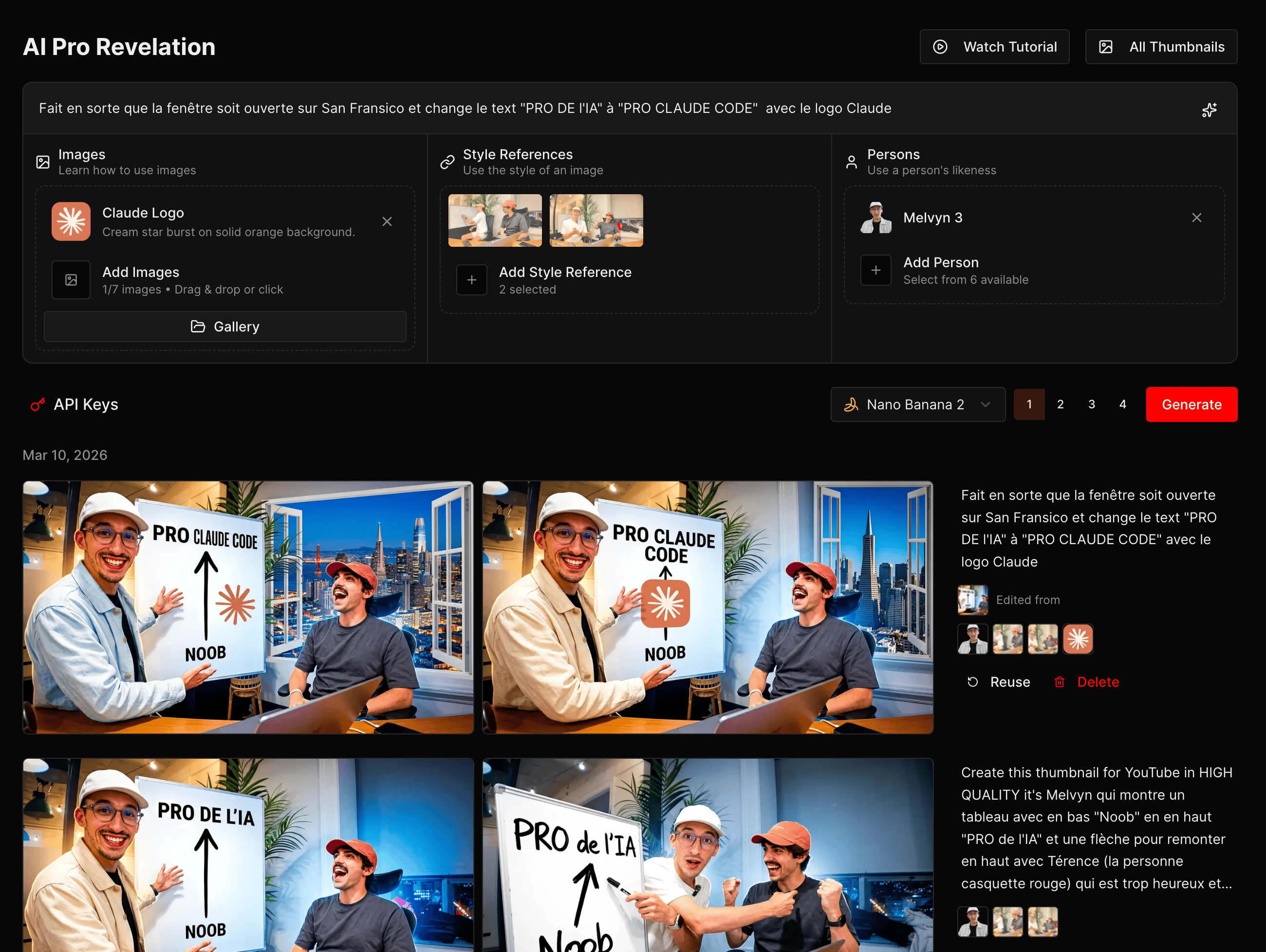
- Upload your face once — the tool creates a biometric profile
- Paste a thumbnail URL that inspires you (from another creator, from one of your old videos...)
- The AI analyzes the style, colors, composition, layout
- Describe your vision in text (e.g. "me looking shocked in front of a screen with code on fire")
- Get 1-4 variations in under 60 seconds
Every variation is 1280×720 PNG — YouTube's exact format, ready to upload.
The Killer Feature: Face Consistency
This is THE thing that sets Thumbfa.st apart from every other tool.
When you generate an image with Midjourney or DALL-E, the face changes every time. You never look like yourself.
Thumbfa.st uses a biometric profile system. You upload your photo once, and the AI keeps your actual face across all thumbnails.
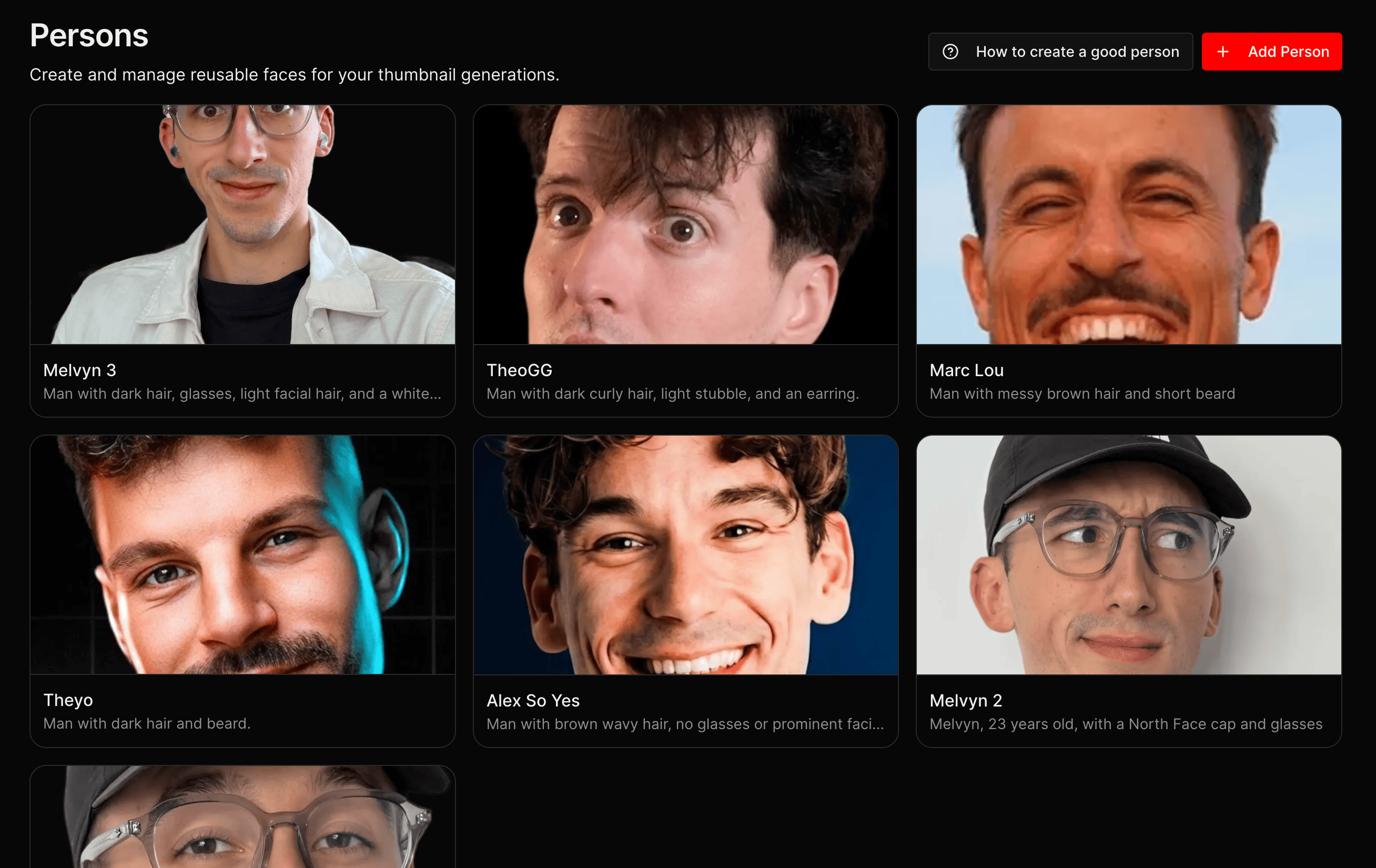
This is essential for personal branding. On YouTube, viewers recognize your face while scrolling. If your face changes from one thumbnail to the next, you lose that instant recognition.
The Anonymize Feature
Here's a clever one: Thumbfa.st has a built-in pixelization tool to anonymize faces.
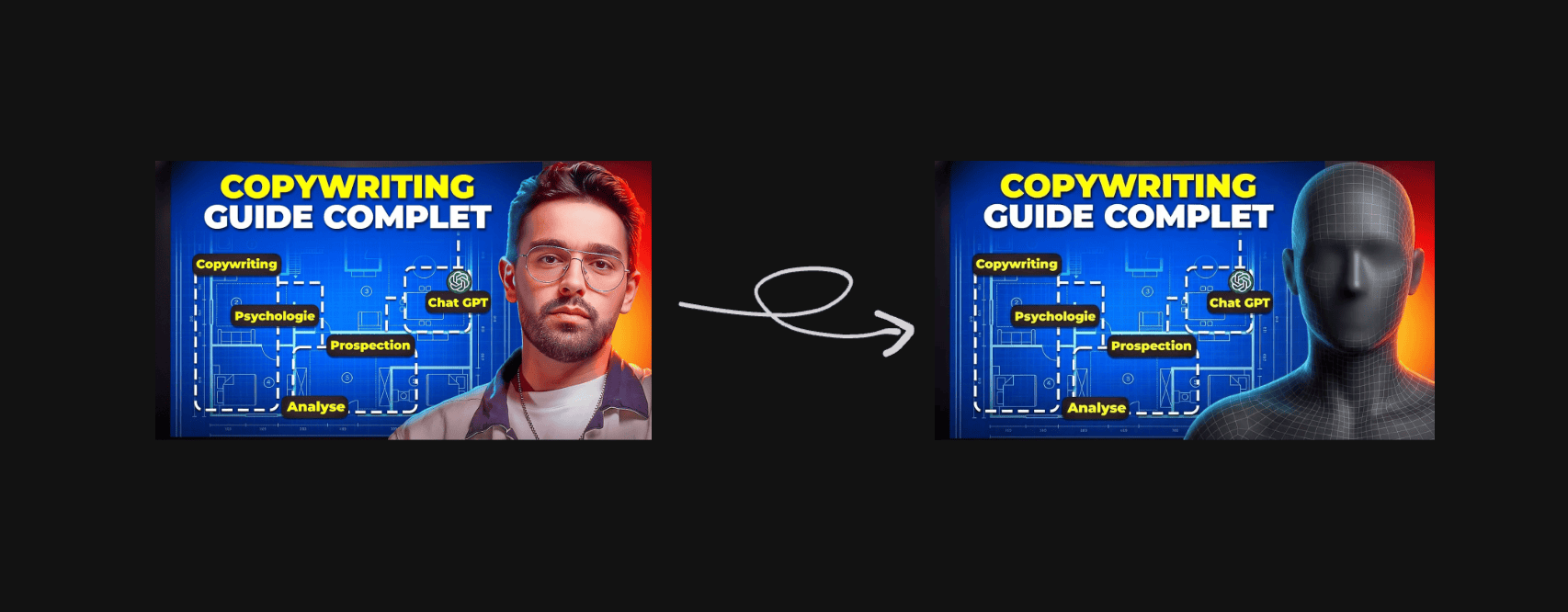
What's it for? When you want to use an inspiration thumbnail but don't want the AI to copy someone else's face. You pixelate it, swap in your own profile, and the AI generates with YOUR face in the same style.
It's also useful for bypassing certain AI model restrictions on existing faces.
The Model Behind It: Nano Banana 2
Thumbfa.st primarily uses Nano Banana 2, Google's native image generation model (via Gemini).
Why this model specifically? Because it excels at:
- Generating realistic faces
- Following complex prompts accurately
- High-resolution detail quality
- Handling text in images (titles on thumbnails)
The results are stunning. Generated thumbnails are on par with a professional designer — sometimes better, because the AI can explore creative directions a human would never have tried.
My Actual Workflow
Here's how I use Thumbfa.st for every video:
Step 1: Find inspiration
I look at thumbnails that perform well in my niche. I copy the URL of 2-3 that inspire me.
Step 2: Generate in bulk
For each inspiration, I generate 4 variations with different descriptions. That gives me 8-12 thumbnails in under 5 minutes.
Step 3: Select and iterate
I keep the 2-3 best, and run new variations on those. After 10-15 total tries, I have my final thumbnail.
Step 4: A/B test
I publish the video with the best thumbnail, then test alternatives using YouTube's native tools.
The whole process takes under 10 minutes. Before, it was 2-3 days of back-and-forth with the designer.
The Numbers
Let's talk concrete:
| Before (designer) | After (Thumbfa.st) | |
|---|---|---|
| Cost per thumbnail | $30-100 | $0.19 |
| Time per thumbnail | 30-45 min | < 60 seconds |
| Concepts tested per video | 2-3 | 10-15 |
| Monthly budget | $400/month | ~$10/month |
The ratio is insane. For the price of ONE concept with a designer, you can generate 500 with Thumbfa.st.
Style Theft Mode
A feature I love: you can paste any YouTube thumbnail URL and the AI will analyze and reproduce the style.
You see a MrBeast thumbnail that's crushing it? Paste the URL, swap in your face and your concept, and you have a thumbnail in the same style in 60 seconds.
It's not copy-paste — the AI understands the composition, dominant colors, text placement, facial expression. And it creates something original in the same spirit.
The Limits
Let's be honest, Thumbfa.st isn't perfect:
- Quality depends on input — if your profile photo is blurry, results will be mediocre
- Text in images — the AI still struggles with complex stylized text. For heavily designed titles, you'll need to touch up in Canva or Photoshop
- Young product — launched January 2026, it's evolving fast but some features are still missing (no pre-built templates per niche, no direct YouTube integration)
- Privacy — you're uploading your face to a server. If that's a concern for you, keep it in mind
Pricing
The model is simple:
- Free: 5 thumbnails/month, no credit card required
- Pro: ~$0.19 per thumbnail, pay-per-use
No mandatory monthly subscription. You pay for what you use. For a creator who publishes 4 videos a month and tests 15 concepts per video, that's about $11/month.
Compare that to the $400 I was paying before...
Product Hunt: Product of the Day
Thumbfa.st launched on Product Hunt on January 25, 2026 and earned Product of the Day with 428 upvotes and 35 comments.
What resonated most with the community:
- Face consistency (the #1 pain point for every creator who's tried AI for thumbnails)
- The price ($0.19 vs $30-100 per thumbnail)
- The speed of iteration
Who Is It For?
Thumbfa.st is particularly useful if:
- You're a YouTuber and want to test more thumbnail concepts
- You don't have the budget for a designer at $400/month
- You want to maintain consistent personal branding on your channel
- You publish regularly and time spent on thumbnails is a bottleneck
If you make one video a year and have an unlimited budget, a human designer will always be more relevant. But for everyone else... AI has won.
Conclusion
The YouTube thumbnail game has changed.
Before, it was a rich creator's game — you either paid a designer or spent hours on Canva. Now any creator can generate professional thumbnails in 60 seconds for $0.19.
The real shift isn't the price. It's the speed of iteration. Testing 15 concepts instead of 2 is what makes the difference between a video stuck at 1,000 views and one that explodes.
Want to try it? → thumbfa.st — 5 free thumbnails, no credit card required.